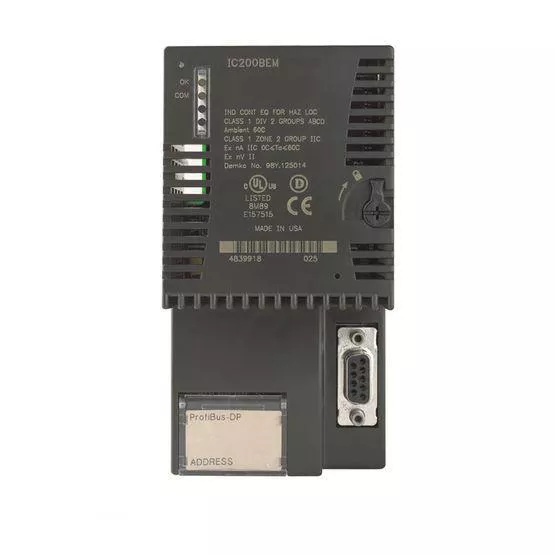
IC200BEM103 is a PLC Network Communications DeviceNet Master Module from the Versamax Series. This particular module can interface with the Versamax PLC CPU to a DeviceNet network with the correct configuration. The IC200BEM103 is easy to install as the communications carrier must be installed first on the DIN Rail. This is accomplished by simply placing the piece and connecting the carriers on the same section of DIN rail. This rail needs to be unpainted to be conductive for proper grounding. Next, making sure the latch is in the unlock position, align the module on the communications connector by aligning the connectors and pressing down until both tabs click into place. Make sure the latch is then moved to the lock position. Finally, connect the communications bus to the connector on the front of the network control module. If needed, remove the connector cover and install additional modules before powering up. Upon power-up of the IC200BEM103, the system has LEDs that will indicate functionality. If installed in what is considered a hazardous location, be sure to follow all recommended guidelines for safety of the module and self. When configuring the DeviceNet Network Control module, two steps are necessary. The first requires the configuration software to include the module in PLC configuration and the second uses programming software to send COMMREQ for network addressing and data lengths.
Specifications
| Brand Name | Emerson | Sub Brand | VersaMax |
| Item Name | Network Interface Module | Voltage Rating | 5 V Output |
| Input | Up to 128 Bytes | Output | 128 Bytes |
| Interface | Linear Bus (Trunkline/Dropline), Power and Signal on the Same Network Cable | Dimensions | 2.63 in H x 4.3 in W x 1.956 in D |
| Amperage Rating | 490 mA at 5 V, 2 mA at 3.3 V Output | Transfer Rate | 125 KBaud, 250 KBaud, 500 KBaud |
| Connection | Shielded, Dual Twisted Pair Cable, 5-Pin Open Pluggable Connector | Application | For Supporting up to 40 Slave Devices |